Messaging an Org
Once you're subscribed to one of an org's schedules, you can reach them two different ways from the org's card on your Following page — a public group chat, and a private thread just between your family and the org.
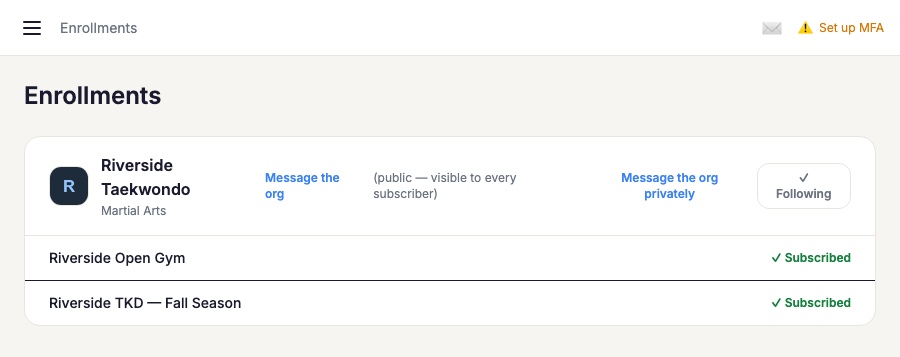
Message the org (public)
This is a group chat with every family currently subscribed to the org — anything you post here is visible to all of them, not just the org. It's there for org-wide announcements and conversation, not anything private. Only orgs that have turned on group chat show this link.
Message the org privately
This opens a private thread with just your family (you, and any co-parents on your account) and the org — nobody else subscribed to the org can see it. Use this for anything that shouldn't go to the whole group: billing questions, a behavior note, a schedule change specific to your kid. It's available to any subscribed family, whether or not the org has group chat turned on.